A4Desk Flash Builder for Windows
Review
A4Desk Flash Builder for Windows: Streamline Your Flash Design Experience
For developers and designers seeking a user-friendly approach to creating Flash-based applications, A4Desk Flash Builder for Windows offers a powerful, all-in-one solution. This software is designed to cater to those who wish to design Flash menus and websites without delving too deeply into coding. Let's explore what this application can do and who it is best suited for.
Key Features
- Template-Based Design: Utilize a wide gallery of pre-designed templates to quickly create Flash menus and websites with minimal effort.
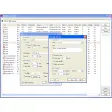
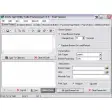
- WYSIWYG Interface: Enjoy a What-You-See-Is-What-You-Get interface that simplifies the design process, making it accessible even to beginners.
- Background Sound Support: Easily add background sounds to enhance the user experience of your Flash-based content.
- Customization Options: Switch between various background and border colors to give your designs a unique look and feel.
- Image Upload Capabilities: Quickly upload images for sub-pages and adjust the display sizes of your Flash content to meet specific needs.
Use Cases
This application excels in scenarios where speed and simplicity are paramount. Ideal for:
- Beginners: A4Desk Flash Builder is perfect for individuals who want to enter the world of Flash design without the complexity of coding.
- Small Teams: Its user-friendly interface makes it easy for small teams to collaborate and create Flash-based projects together.
- Quick Prototypes: Quickly build prototypes or demo projects to showcase your ideas without the need for extensive development work.
Pros and Cons
Pros: The absence of coding requirements, comprehensive template gallery, and ease of use make A4Desk Flash Builder a standout choice for designers and developers alike. It significantly reduces the time and effort needed to create professional-looking Flash applications.
Cons: While A4Desk Flash Builder excels in simplicity, it may not offer advanced customization options or features available in more complex Flash development tools. It is primarily focused on ease of use and quick design creation.
Who It's For
- Beginners in Flash design
- Graphic designers looking for an easy-to-use solution
- Small teams needing to quickly prototype Flash-based projects
- Individuals who want to create Flash content without extensive coding knowledge
Tips for Optimal Use
- Explore the Template Gallery: Take advantage of the extensive template library to spark creativity and save time.
- Experiment with Customization Options: While the templates are a great starting point, don't hesitate to tweak colors, backgrounds, and other elements to make your design unique.
- Test Your Design: Regularly test your Flash application to ensure it works as intended across different devices and browsers.
- Stay Updated: Keep an eye on updates and new features that may be added to A4Desk Flash Builder in the future.
Ratings
29 reviews