
File Size
N/A
License
Free
Platform
Windows
Security
Unknown
Updated
Jan 2008
Review
3D Earth Screensaver for Windows: A Detailed Overview
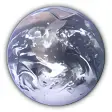
Discover the captivating beauty of Earth with the 3D Earth Screensaver for Windows, a free desktop customization tool that brings the wonders of our planet to your screen. This personalization software is perfect for users looking to enhance their Windows environment with a stunning visual experience.
What Does 3D Earth Screensaver Do?
With 3D Earth Screensaver, users can enjoy a visually immersive experience as the rotating globe of our Earth fills their screen, offering a dynamic and engaging desktop backdrop. The software provides a serene and peaceful atmosphere, making it an excellent choice for those who want to add a touch of nature to their workspace or home computer setup.
Key Features
- Rotating 3D Globe: Experience the Earth as it spins in real-time, showcasing its diverse landscapes and features.
- Customization Options: Users can adjust the speed, transparency, and other settings to suit their preferences.
- Low System Requirements: This lightweight application is designed to run smoothly on older Windows systems, making it accessible to a wide range of users.
Use Cases
- Home Computers: Ideal for creating a relaxing and aesthetically pleasing environment in the comfort of your home.
- Workspaces: Enhance productivity by providing a visually appealing background that can improve focus and reduce eye strain.
- Education and Presentation: Use the 3D Earth Screensaver to teach geography or present information about our planet in an engaging manner.
Pros and Cons
Pros:
- Free and Lightweight: Enjoy a high-quality experience without the burden of large file sizes or high system requirements.
- Engaging: The rotating 3D globe is both captivating and educational, making it a valuable tool for learning and entertainment.
Cons:
- No Custom Content: The software currently offers a single, pre-set globe without the ability to add user-generated or third-party content.
- Old Software: The program hasn't been updated since its initial release in 2012, which might limit its compatibility with modern Windows systems.
Who is It For?
The 3D Earth Screensaver is perfect for:
- Desktop Enthusiasts: Those who appreciate visually stunning backgrounds and enjoy customizing their Windows environment.
- Educators: Use it in classrooms or during presentations to enhance the learning experience and interest in geography.
- Home Users: Create a more relaxed and inspiring workspace at home by adding a beautiful 3D Earth backdrop.
Tips for Optimal Use
- Position Your Monitor: Adjust the monitor's position to ensure you have a full view of the rotating Earth.
- Customize Settings: Experiment with the various customization options to find the perfect balance of speed and transparency.
- Combine with Other Tools: Pair the 3D Earth Screensaver with other personalization tools for an even more customized experience.
DownloadOfficial Website
Virus Scanned · Unknown
Version—
File SizeN/A
LicenseFree
PlatformWindows
OS RequirementsWindows XP
Updated1/5/2008
Ratings
3.3
107 reviews
5
4
3
2
1



