
Actual Moon 3D for Windows
by More programs (3)
Review
Actual Moon 3D for Windows: A 3D Moon Screensaver That Brings the Night Sky to Your Desktop
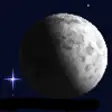
Actual Moon 3D is a unique and visually stunning desktop screensaver for Windows, offering a 3D representation of the moon that changes as the lunar cycle progresses. This personalization tool is perfect for anyone who enjoys astronomy and wants a space-themed screensaver to enhance their desktop experience.
What Does Actual Moon 3D Do?
This screensaver displays the moon in 3D, with realistic lighting and shadows that update according to the current lunar phase. Users can observe the moon’s appearance as it would be seen from Earth, with details such as craters and mountains becoming more or less prominent depending on the phase. Additionally, the screensaver includes location coordinates for various lunar features, making it an educational tool for astronomy enthusiasts.
Key Features
- Realistic 3D Moon: The moon is rendered in 3D, with a high level of detail that accurately reflects its appearance.
- Dynamic Phase Changes: The lunar phase updates in real-time, reflecting the current date and time.
- Location Coordinates: Includes detailed coordinates for lunar features, enhancing the educational value of the screensaver.
- Windows Compatibility: Compatible with older versions of Windows, making it accessible to a wide range of users.
Use Cases
Actual Moon 3D is ideal for a variety of users, including:
- Astronomy Enthusiasts: For those who want to keep up with the lunar cycle and observe the moon’s appearance over time.
- Space Explorers: For those who love the space theme and want a desktop background that reflects their interest.
- Teachers and Students: As an educational tool, it can be used in classrooms or at home to teach about the moon and its phases.
Pros and Cons
Pros:
- Realistic and visually appealing 3D moon rendering.
- Updates dynamically to reflect the current lunar phase.
- Includes location coordinates for lunar features.
Cons:
- Software is quite old (last updated in 2008).
- No new features or updates have been added since its release.
Who Is It For?
Actual Moon 3D is best suited for:
- Users looking for a visually appealing and educational screensaver.
- Those with an interest in astronomy and space.
- Anyone who enjoys personalizing their desktop environment with thematic content.
Tips for Using Actual Moon 3D
- Set It as Your Default Screensaver: Ensure that Actual Moon 3D is set as your default screensaver to enjoy the 3D moon every time your computer is idle.
- Explore the Coordinates: Take the time to explore the location coordinates for lunar features to learn more about the moon’s surface.
- Combine with Other Themes: Use this screensaver alongside other space-themed wallpaper or software to create a cohesive and immersive desktop experience.
With its realistic 3D rendering and dynamic lunar phase updates, Actual Moon 3D offers a unique and engaging way to bring the night sky to your desktop. While it may be slightly dated, its simplicity and effectiveness make it a valuable addition to any Windows user’s screen.
Ratings
13 reviews



