
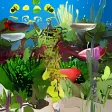
Arowana Deluxe Aquarium for Windows
by More programs (16)
Pros & Cons
- Real and colourful fishes
- Well-planned aquarium setting
- Multiple screen settings
- Options to set manual or automatic screensavers
- Animation isn’t the best
- Image quality needs some work
- Modifying things is difficult
- Audio-video sync issues may crop up
Review
Arowana Deluxe Aquarium for Windows: A Visual Feast for Fish Lovers
Discover a unique screensaver that brings the beauty of Arowana fish to your desktop with Arowana Deluxe Aquarium for Windows. This application is perfect for those who appreciate personalization and enjoy the serene beauty of aquatic life.
What the App Does
Arowana Deluxe Aquarium for Windows is a screensaver that features a variety of Arowana fish species in a well-thought-out aquarium setting. These stunning fish are displayed in vibrant colors and realistic animations, making your desktop a miniature marine paradise. The application offers a range of aquatic environments, complete with plants and decorations, to enhance the visual appeal.
Key Features
- Real and colorful fishes: Experience the beauty of Arowana fish species such as Black Arowana, Green Arowana, Silver Arowana, and Blood Red Arowana in animated form.
- Well-planned aquarium setting: The aquarium is designed with natural elements like java fern, broadleaf, drift woods, and Amazon sword plants, creating a natural and serene environment.
- Multiple screen settings: Users can choose from various screen settings, allowing for customization of the aquarium's appearance.
- Options for manual or automatic screensavers: Enjoy the flexibility of setting the screensaver manually or allowing it to run automatically.
Use Cases
This application is ideal for users who want to personalize their desktops with a relaxing aquatic theme. It’s perfect for offices, homes, or any space where a touch of nature can enhance the atmosphere. Additionally, it serves as an excellent tool for Arowana enthusiasts who want to experience the beauty of these fish up close without visiting an aquarium.
Pros and Cons
Pros
- Realistic and colorful animations of Arowana fish species.
- A well-planned and aesthetically pleasing aquarium setting.
- Flexibility in screen settings, allowing for customization.
- Options for both manual and automatic screensavers.
Cons
- Animations are not the best, with room for improvement in quality.
- Image quality could be enhanced for a more immersive experience.
- Modifying settings can be challenging for some users.
- Audio-video sync issues may occur, affecting the overall experience.
Who It’s For
Arowana Deluxe Aquarium is suitable for a wide range of users, including:
- Fish enthusiasts and Arowana admirers
- Users who seek a relaxing and serene environment on their desktop
- Those looking to personalize their computer with high-quality, nature-themed screensavers
Tips for Getting the Most Out of Arowana Deluxe Aquarium
- Choose a screen setting that best suits your preference for a balance between aesthetics and performance.
- Experiment with the manual and automatic screensaver options to find the setting that works best for you.
- Regularly update your application to ensure the best possible visual experience and bug fixes.
Ratings
40 reviews



