
Review
Color Cells Screensaver: A Unique Windows Personalization Tool
Color Cells Screensaver is a free software download designed for Windows users, offering a distinctive and visually appealing screen saver experience. This software falls under the category of personalization tools, enhancing the user interface by providing a dynamic and engaging display.
What It Does
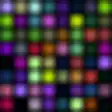
Color Cells Screensaver functions by displaying a grid of colorful cells that transition and change based on a pre-defined algorithm or user-defined parameters. This creates a mesmerizing and ever-changing visual display, making it perfect for background screens or those moments when the computer is idle.
Key Features
- Dynamic Color Display: The software showcases a variety of vibrant colors, with cells transitioning smoothly and elegantly.
- Customizable Parameters: Users can adjust the grid size, color palette, and transition speed to suit their preferences.
- Compatibility: Works on Windows 2000 and newer versions, ensuring a broad range of compatibility.
- Language Support: Available only in English, though the interface is straightforward and user-friendly.
Use Cases
- Home Computers: Ideal for personal use, making the desktop environment more engaging and visually appealing.
- Work Stations: Can be used to create a relaxed atmosphere, especially during breaks or when performing light tasks.
- Home Theatre Systems: Adds a touch of visual interest to a home entertainment setup, without distraction.
Pros and Cons
Pros: The primary advantage of Color Cells Screensaver lies in its unique and eye-catching visual display, making it a standout choice among traditional screen savers. The ability to customize parameters adds flexibility to the user experience, allowing for personalization to fit various preferences.
Cons: While the software is free, there are no additional features or enhancements, which might limit its appeal for users seeking more advanced screen saver functionalities. Additionally, the lack of detailed documentation or community support may pose challenges for new users.
Who It's For
Color Cells Screensaver is best suited for:
- Users looking for a visually engaging and customizable screen saver.
- Individuals who desire a modern and dynamic aesthetic for their home or work computer.
- Those who appreciate unique and less conventional software solutions.
Tips for Using Color Cells Screensaver
- Experiment with Settings: Spend time adjusting the grid size, color palette, and transition speed to find the perfect balance for your tastes.
- Backup Your Data: As with any screen saver, ensure your important data is backed up to avoid any accidental loss.
- Explore Customization: Take advantage of the various customization options to personalize the screen saver to your liking.
Experience the unique visual appeal of Color Cells Screensaver for yourself and transform your Windows environment with a dynamic and captivating screen saver. Compatible with Windows 2000 and above, this free software offers a fresh and engaging alternative to traditional screen savers.
Ratings
1 reviews



