
.png)
IconArt for Windows
by More programs (3)
Review
IconArt for Windows: A Comprehensive Guide
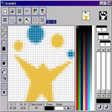
IconArt for Windows is a powerful, free icon editor and extractor designed specifically for users on the Windows operating system. This software falls under the category of Personalization tools, allowing users to create, edit, and manage icons for their desktop and applications.
What IconArt Does
IconArt is an all-in-one solution for anyone looking to enhance their desktop experience through icon customization. Whether you need to create, edit, or extract icons, IconArt provides a robust set of tools to meet your needs.
Key Features
- Icon Editing: Edit existing icons to your desired specifications, including resizing, re-coloring, and transforming.
- Icon Creation: Design and create new icons from scratch using a variety of tools and options.
- Icon Extraction: Easily extract icons from applications and system files for use in other programs or projects.
- High-Quality Support: Supports a wide range of image formats, ensuring compatibility with various applications.
Use Cases
IconArt is ideal for both professionals and enthusiasts looking to customize their desktop environment or applications. Common use cases include:
- Customizing the appearance of your Windows desktop and taskbar.
- Enhancing the look of your applications by editing or creating custom icons.
- Extracting icons for use in other projects or applications.
Pros and Cons
Pros: The primary advantage of IconArt is its comprehensive feature set, making it a versatile tool for icon manipulation. Additionally, it's completely free, which is a significant plus for users on a budget.
Cons: While IconArt is a powerful tool, it may not be as user-friendly for beginners. The interface and functionality are geared more towards experienced users who understand icon manipulation.
Who is IconArt For?
IconArt is primarily suitable for:
- Desktop customizers and enthusiasts looking to enhance their user interface.
- Graphic designers and developers who need to create or edit icons for their projects.
- Users who frequently need to extract icons from various applications or system files.
Tips for Using IconArt
- Backup Original Files: Always work on a copy of the original files to avoid accidental data loss.
- Experiment: Don’t be afraid to experiment with different tools and settings to achieve the desired result.
- Use Multiple Formats: Take advantage of the support for various image formats to ensure compatibility.
Since its introduction in 2011, IconArt has gained a significant user base, particularly in countries like Thailand, Bosnia And Herzegovina, and the United States. Its popularity and widespread use indicate its effectiveness and reliability in the field of desktop customization.
Ratings
52 reviews



