
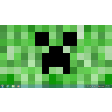
Minecraft Theme for Windows
Review
Minecraft Theme for Windows: Transform Your Desktop with a Fun Twist
For Windows users who are fans of the beloved game, Minecraft, there's now a convenient way to bring the game's iconic aesthetic to your desktop. Minecraft Theme for Windows is a free personalization application that allows you to enhance your Windows experience with a Minecraft-inspired theme. This review will explore the key features, use cases, and benefits of this unique application.
Key Features
- Customizable Visuals: Experience a vibrant and colorful Windows interface that mirrors Minecraft's familiar graphics.
- Easy Installation: The application is straightforward to install and apply, making it accessible for users of all technical skill levels.
- Playful Design: Enjoy a desktop environment that reflects the game's aesthetic, providing a fun and creative look.
Use Cases
- For Gamers: Enhance your gaming experience by immersing yourself in a Minecraft-inspired desktop environment.
- For Creators: Boost your productivity by working in a themed interface that may inspire creativity and imagination.
- For Fans: Show your love for the game by customizing your desktop to match its iconic look and feel.
Pros and Cons
Pros: The primary advantage of Minecraft Theme for Windows is its ability to provide a unique and fun aesthetic that can significantly enhance the user experience. It's a great way to show your personal style or share your passion for Minecraft with others.
Cons: As a purely visual theme, there are no additional functionalities or tools beyond the aesthetic changes. However, this is a trade-off for the free and easy-to-use nature of the application.
Who It's For
This theme is ideal for:
- Fans of Minecraft who want to bring their favorite game to their desktop.
- Those looking for a playful and creative way to personalize their Windows environment.
- Users who appreciate simple, yet effective, personalization tools.
Tips for Installation and Use
- Ensure you have a stable internet connection during installation to avoid any issues.
- Explore the settings to fully customize your theme, such as choosing between light and dark modes.
- Be mindful of the impact of color themes on your eyes, especially during long periods of use.
In conclusion, Minecraft Theme for Windows is a fantastic choice for users seeking a fun and visually appealing way to personalize their Windows desktop. With its easy installation and intuitive design, it provides an excellent opportunity for both casual users and hardcore Minecraft fans to enjoy a themed desktop environment.
Ratings
202 reviews



