Review
Explore SereneScreen Marine Aquarium for Windows: A Lifelike Underwater Paradise
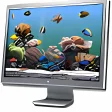
Looking for a way to bring the tranquil beauty of the marine world into your desktop environment? SereneScreen Marine Aquarium for Windows is the perfect solution. This premium screensaver application transforms your computer screen into a serene underwater vista, complete with realistic 3D visuals, natural fish movements, and vibrant coral formations.
What Does SereneScreen Marine Aquarium Do?
SereneScreen Marine Aquarium offers a captivating virtual aquarium that can be displayed on your Windows desktop. As a screensaver, it creates a lifelike underwater scene that can be a soothing backdrop during idle moments or a welcome distraction during breaks from work.
Key Features
- Stunning 3D visuals: Experience highly detailed and realistic underwater environments.
- Realistic fish behavior: Each species moves and interacts naturally, adding to the authenticity of the scene.
- Vibrant corals and underwater scenery: Rich, detailed textures bring the deep sea to life.
- Customizable fish selection: Choose from up to 28 species to personalize your aquarium.
- On-screen clock: Display an optional clock to keep track of time while enjoying the serene visuals.
Use Cases
- Relaxation and stress relief: Use SereneScreen Marine Aquarium as a calming backdrop during breaks from work or study.
- Creative inspiration: The vibrant colors and natural movements can spark creativity and focus.
- Home and office decor: Add a touch of nature to your workspace or home.
Pros and Cons
Pros
- Highly detailed and realistic visuals.
- Realistic fish behavior and interactions.
- Customizable fish selection and scene design.
- Incorporates soothing and ambient sounds for a more immersive experience.
- Option to display an on-screen clock for added functionality.
Cons
- Can be CPU-intensive due to 3D rendering quality.
Who is SereneScreen Marine Aquarium For?
SereneScreen Marine Aquarium is ideal for users who appreciate nature-inspired visuals and enjoy a peaceful, ambient environment. It’s perfect for those who need a moment of calm during busy days or want to add a touch of natural beauty to their desktop.
Tips for Optimal Use
- Ensure your system meets the minimum requirements to achieve the best performance and visual quality.
- Experiment with different fish and coral selections to find the perfect combination for your workspace.
- Consider the placement of the aquarium to avoid distractions while still enjoying its calming effects.
Overall, SereneScreen Marine Aquarium for Windows is a stunning screen companion that provides a serene and visually enriching experience. Its realistic 3D visuals and customizable features make it a valuable addition to any user’s desktop, offering both relaxation and creative inspiration.
Ratings
37 reviews