
File Size
N/A
License
Free
Platform
Windows
Security
Unknown
Updated
Mar 2017
Review
Shadenow for Windows: Personalize Your Desktop Experience
Shadenow, a free and lightweight software designed for Windows users, offers a unique way to enhance your desktop environment with personalized lighting effects. This desktop customization tool has gained significant traction, particularly in China, since its inception in 2004.
What Does Shadenow Do?
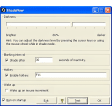
Shadenow allows users to simulate the experience of lowering the lights on their PC, providing a more relaxing and calming atmosphere. The software is lightweight and doesn't require a lot of system resources, making it ideal for users with older Windows operating systems like Windows 98 and below.
Key Features of Shadenow
- Light Dimming Effect: Emulate the experience of dimming your room's lights for a more serene atmosphere while using your computer.
- Smooth Transition: Enjoy a gradual and smooth transition of light levels, creating a natural and comfortable experience.
- Compatibility: Available for Windows 98 and earlier versions, ensuring compatibility with a wide range of systems.
- Easy to Use: The user interface is simple and intuitive, making it accessible to both tech-savvy users and novices.
Use Cases for Shadenow
Shadenow is perfect for:
- Relaxing after work or study
- Creating a soothing environment for gaming
- Improving sleep quality by reducing screen glare
- Enhancing productivity by creating a more focused workspace
Pros and Cons of Shadenow
Pros:
- Lightweight and efficient
- Enhances the user experience with a calming effect
- Supports older operating systems
Cons:
- No new features or updates since 2004, indicating it may not be fully compatible with newer Windows versions
Who is Shadenow For?
Shadenow is ideal for:
- Users looking for a simple way to customize their desktop environment
- Individuals seeking a more relaxed computing experience
- People with older Windows systems who want to utilize their hardware effectively
Tips for Using Shadenow
- Ensure your system is set to the lowest power settings to avoid unnecessary battery drain on laptops.
- Use Shadenow in conjunction with other calming tools like ambient sound apps for a more immersive experience.
- Experiment with different light levels to find the perfect setting for your needs.
DownloadOfficial Website
Virus Scanned · Unknown
Version—
File SizeN/A
LicenseFree
PlatformWindows
OS RequirementsWindows 98 SE
Updated3/9/2017
Ratings
3.9
18 reviews
5
4
3
2
1



