
Review
Vista Icon Pack for Windows: Enhance Your Desktop Experience
Vista Icon Pack is a highly regarded personalization tool for Windows users, allowing you to customize your desktop with over a thousand icons. This free software has been a popular choice among users looking to add a personal touch to their computing environment.
What Does Vista Icon Pack Do?
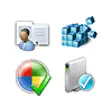
With Vista Icon Pack, you can transform your Windows desktop by applying a wide array of icons. This software is designed to cater to those who wish to keep their desktop organized yet aesthetically pleasing. From file types to system tools, Vista Icon Pack ensures that every application is represented with a unique and recognizable icon.
Key Features
- Over a Thousand Icons: The extensive icon collection is one of the standout features of Vista Icon Pack. It offers a wide range of icons for various applications, ensuring that your desktop remains organized and visually appealing.
- Customization Flexibility: Users have the freedom to choose which icons to use and where to place them. This flexibility makes Vista Icon Pack suitable for both beginners and advanced users.
- Lightweight and Efficient: Despite the vast icon collection, Vista Icon Pack remains lightweight, ensuring that it doesn’t significantly impact system performance.
Use Cases
- Personal Use: Ideal for users who want to personalize their desktop without the need for complex settings.
- Workplace Customization: Can be used to streamline the desktop environment for a cleaner and more productive workspace.
- System Administrators: A useful tool for those who manage multiple systems and prefer a standardized desktop appearance.
Pros and Cons
Pros: The abundance of icons, ease of use, and lightweight nature of the software make it a valuable addition to any Windows user's toolkit.
Cons: No notable cons have been reported. The software is well-received and has a long history of reliable use.
Who It's For
Vista Icon Pack is perfect for:
- Users who want to enhance their desktop experience with unique and recognizable icons.
- Those who are tired of generic system icons and want a more personalized look.
- Windows users who are looking for a free and straightforward way to customize their desktop.
Tips for Getting the Most Out of Vista Icon Pack
- Systematic Installation: Download the software from the official website to ensure you get the latest version and avoid any potential security risks.
- Regular Updates: Keep your icons up-to-date by regularly checking for and installing updates from the software’s website.
- Backup Settings: Before making significant changes, it’s a good idea to back up your current settings to prevent accidental loss or changes.
In conclusion, Vista Icon Pack for Windows is a powerful and versatile tool for those looking to personalize their desktop. With its extensive icon collection and user-friendly interface, it offers a great way to add a unique touch to your Windows environment. Whether you’re a casual user or a system administrator, Vista Icon Pack is a valuable addition to your software arsenal.
Ratings
209 reviews



