
Review
Enhancing Your Windows 8 Experience with Start Menu Toggle
Windows 8 introduced a significant shift in the way users interact with their operating system. However, many users found the new Start screen and its accompanying limitations less than ideal. Enter Windows 8 Start Menu Toggle, a simple and effective tool that brings back the familiar start menu for users on Windows 8. This article explores the key features, use cases, and benefits of this application, as well as tips for maximizing its potential.
What Does Windows 8 Start Menu Toggle Do?
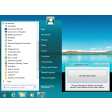
Windows 8 Start Menu Toggle is a lightweight application that allows users to revert to the traditional start menu interface. By simply toggling the application, you can switch between the classic start menu and the new interface, giving you the best of both worlds. This flexibility is particularly useful for users who are adapting to the new interface or those who prefer the familiar layout.
Key Features
- Classic Start Menu Reversion: Instantly switch back to the traditional start menu for a familiar user experience.
- Easy to Use: The application requires minimal setup and is straightforward to operate.
- No Additional Dependencies: The lightweight nature of the application means it won’t slow down your system.
Use Cases
- Transitioning Users: Ideal for those still adjusting to Windows 8 and prefer a more familiar start menu.
- Workplace Environments: Organizations can use this tool to provide a consistent and comfortable environment for their staff.
- Personal Preference: Individuals who prefer the classic start menu for better productivity or aesthetic reasons.
Pros and Cons
Pros:
- Effortless Customization: Easily switch between interfaces without any hassle.
- Lightweight: Does not consume significant system resources, ensuring smooth performance.
- Popularity: Widely used, with over 76,500 downloads since its inclusion in our catalog in 2012.
Cons:
- No Updates: The application hasn’t been updated since June 16, 2012, which might impact compatibility with newer Windows versions.
- Limited Functionality: The application focuses solely on toggling between start menus, offering no additional customization options.
Who Is It For?
This application is perfect for users who are still getting used to Windows 8, those who prefer the classic start menu for better productivity, or individuals who value a familiar interface. It is particularly useful in work environments where maintaining a consistent user experience is crucial.
Tips for Maximizing Your Experience
- Compatibility Check: Ensure the application is compatible with your Windows version before installing.
- Regular Updates: Although no updates have been made, you can still use the application effectively for its intended purpose.
- User Preferences: Experiment with the toggle feature to find the best balance between the new and classic interfaces.
Overall, Windows 8 Start Menu Toggle is a practical solution for users seeking to ease their transition to Windows 8 or those who simply prefer the classic start menu. While it may lack some of the bells and whistles of more modern customization tools, its simplicity and effectiveness make it a valuable addition to any Windows 8 user’s toolkit.
Ratings
58 reviews



