
Windows 8 Transformation Pack
Review
Experience the Windows 8 Transformation on Your Older Windows Version
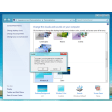
The Windows 8 Transformation Pack is a fantastic tool that brings the modern and sleek look and feel of Windows 8 to your Windows XP, Vista, or Windows 7 system. This free software package is perfect for users who wish to experiment with the latest design trends or simply want a fresh and updated look without upgrading to the latest version of Windows.
Key Features
- Metro Design and Themes: Emulate the modern Metro interface with live tiles and intuitive layouts.
- Wallpapers and Icons: Enjoy a selection of Windows 8-themed wallpapers and icons to enhance your desktop experience.
- Sounds and Cursors: Customise your system sounds and cursors to match the Windows 8 aesthetic.
- Menus and Cursors: Transform your traditional menus and cursors into the modern Windows 8 style.
- Screen Savers: Explore a variety of Windows 8-style screen savers to keep your desktop lively.
- Modern Apps: Download and manage a selection of Windows 8-style apps such as Clock, Calendar, system settings, Gmail, Hotmail, Twitter, Facebook, Internet Explorer, Music, and Photo Gallery.
Use Cases
Users can benefit from the Windows 8 Transformation Pack in several ways. It's ideal for professionals who want to stay updated with the latest design trends, enthusiasts who enjoy customisation, or those who wish to test out the Windows 8 experience without a complete system upgrade. It's also a useful tool for IT professionals to showcase the potential of the latest Windows design to clients or colleagues.
Pros and Cons
Pros: The pack offers a seamless and immersive Windows 8 experience, enhancing the look and functionality of older versions of Windows. It's easy to install and configure, with a user-friendly wizard to guide you through the process.
Cons: While the pack is free, users may experience minor compatibility issues or performance slowdowns, especially on older systems. However, these issues are generally minimal and do not significantly impact the overall user experience.
Who It's For
This software is particularly suitable for:
- Users of Windows XP, Vista, or Windows 7 who want to try out the latest design trends.
- Those who are hesitant to upgrade their operating system but want a more modern interface.
- Entusiasts and hobbyists who love to customise their computing environment.
- IT professionals and tech-savvy users who want to demonstrate the potential of the latest Windows design to others.
Tips
- Backup Your System: Before installing the pack, ensure you back up your system to avoid any unintended changes or data loss.
- System Requirements: Check the system requirements to ensure your computer meets the minimum hardware needs for the pack to run smoothly.
- Customisation: Explore the various options within the wizard to fully customise your Windows 8 experience.
- Updates: Keep an eye out for updates to the pack, as the developers may release new versions to improve compatibility and functionality.
Ratings
2,181 reviews



