
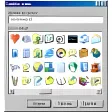
Windows XP Icons
Review
Windows XP Icons: Enhance Your Desktop Experience
Windows XP Icons is a lightweight and free software that allows users to customize their Windows XP desktop icons. This application is part of the Personalization category, making it a valuable tool for those who want to personalize their operating system. Created by Release Soft, this software version 0.7.6 has been updated on 6/18/2012 and remains a popular choice among users.
What Windows XP Icons Does
Windows XP Icons enables users to change the appearance of their default icons, making the desktop more visually appealing and organized. This can be particularly useful for those who use Windows XP but want a more modern look or those who simply want to personalize their work environment.
Key Features
- Custom Icon Selection: Users can choose from a wide range of icon styles and themes, giving you the flexibility to match your personal style or workspace needs.
- Easy to Use Interface: The intuitive interface makes it simple to apply new icons to your desktop, without requiring advanced technical knowledge.
- Compatibility: Windows XP Icons is compatible with older versions of Windows, including Windows 95, making it a valuable tool for users who still rely on these systems.
Use Cases
Windows XP Icons can be used in various scenarios. For example, system administrators might use it to standardize the appearance of icons across multiple machines. Home users can apply it to personalize their desktops, enhancing their overall experience. Additionally, developers might use it to create a more professional and polished environment for their workstations.
Pros and Cons
- Pros: It is lightweight, easy to use, and offers a wide variety of customization options.
- Cons: While the software has not been updated in recent years, its compatibility with older Windows versions is a significant advantage.
Who is Windows XP Icons For?
Windows XP Icons is ideal for users who are looking to personalize their Windows XP desktop environment. This includes both home users and professionals who need a more visually appealing and organized workspace. While it may not be the latest in desktop customization software, its compatibility with older systems makes it a valuable tool for those still using these operating systems.
Tips for Using Windows XP Icons
- Regular Updates: Although the software is free, consider checking for updates to ensure you have the latest features and bug fixes.
- Backup Before Installation: Before applying any new icons, make sure to back up your current desktop icons to avoid any accidental removals.
- Explore Themes: Take advantage of the extensive theme library available in Windows XP Icons to find the perfect look for your desktop.
Overall, Windows XP Icons is a reliable and lightweight tool for those looking to enhance their Windows XP desktop experience. Its compatibility with older operating systems and extensive customization options make it a valuable resource for both personal and professional use.
Ratings
31 reviews



