
FreeWindows
Big Stretch Reminder for Windows
3.5(4 reviews)
File Size
N/A
License
Free
Platform
Windows
Security
Unknown
Updated
Feb 2026
Pros & Cons
Pros
- Great break reminder tool
- Highly-customizable
- Get inspiring messages
- Completely free
Cons
- Intrusive at times
Review
Big Stretch Reminder for Windows: A Comprehensive Productivity Tool
Big Stretch Reminder for Windows is a highly-customizable break reminder tool designed to help users maintain a healthy work-life balance by reminding them to take regular breaks throughout their workday. This software is particularly useful for those who spend long hours at their computers, as it can significantly reduce the risk of Repetitive Strain Injury (RSI).
Key Features
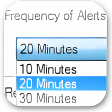
- Customizable Intervals: Set the interval at which reminders will appear, allowing you to tailor the experience to your specific needs.
- Personalized Messages: Choose from predefined messages or create your own to keep the reminders relevant and motivating.
- Multiformat Alerts: Receive reminders through pop-ups, balloon notifications, or even screen lockouts, ensuring you can’t miss them.
- Healthy Reminders: Get RSI-related facts, motivational quotes, or custom messages to keep your breaks interesting and productive.
- Sound Alerts: Set up sound alerts, choosing between default tunes or custom sound files to enhance the reminder experience.
Use Cases
- Office workers: Perfect for those who spend extended periods sitting at a desk, helping to reduce the risk of RSI.
- Freelancers: A useful tool for managing work schedules and ensuring regular breaks to stay focused and energized.
- Students: Can be used to manage study sessions and prevent burnout during long study periods.
Pros and Cons
Pros:
- Great break reminder tool for maintaining a healthy work-life balance.
- Highly-customizable with multiple settings for time, display, messages, and sounds.
- Comes with inspiring messages to keep breaks engaging.
- Completely free to download, with no spyware or crapware included.
Cons:
- Intrusive at times, especially when the default settings are too frequent or loud.
Who is It For?
Big Stretch Reminder is ideal for anyone looking to maintain a healthy and balanced workday. Whether you’re a professional, a student, or someone who spends a lot of time in front of a computer, this software can help you stay productive and avoid the pitfalls of prolonged screen time.
Tips for Optimal Use
- Adjust the interval settings based on your work schedule to ensure reminders are neither too frequent nor too infrequent.
- Customize the messages to align with your personal goals and interests, making the breaks more engaging.
- Experiment with different alert styles to find the one that best suits your needs, ensuring you won’t overlook important reminders.
- Consider enabling the screen lockout feature to ensure you can’t work through a reminder.
DownloadOfficial Website
Virus Scanned · Unknown
Version—
File SizeN/A
LicenseFree
PlatformWindows
OS RequirementsWindows 7
Updated2/18/2026
Ratings
3.5
4 reviews
5
4
3
2
1



