
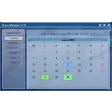
Chaos Manager for Windows
Review
Chaos Manager: Your Ultimate Productivity Tool for Windows
Discover the versatile and efficient Chaos Manager, a free software designed for Windows users, ideal for individuals and teams looking to streamline their productivity. This app, categorized under Productivity, offers a complete solution for managing tasks, contacts, and more, all in one place.
What Does Chaos Manager Do?
Chaos Manager serves as a comprehensive personal information manager, allowing users to organize various types of data such as tasks, contacts, and notes. It acts as a central hub, helping you stay organized and on top of your responsibilities.
Key Features
- Task Management: Keep track of your to-do list and set reminders for deadlines.
- Contact Management: Maintain a database of important contacts with detailed information.
- Notebook: Create and organize notes with the ability to apply formatting and tags.
- Password Manager: Securely store and manage your passwords and sensitive information.
- Synchronization: Sync data across devices for seamless access.
Use Cases
- Individuals: Stay organized and manage personal tasks and contacts.
- Teams: Share and collaborate on tasks and contacts within a team environment.
- Businesses: Streamline client management and task delegation.
Pros and Cons
As a free software, Chaos Manager offers a lot of bang for your buck, with robust features and functionality. However, the lack of detailed documentation and community support can be a downside for some users. The app has been updated to address several bugs and introduce new features, making it a solid choice for productivity enthusiasts.
Who is It For?
Chaos Manager is perfect for individuals, small teams, and businesses looking for a comprehensive yet lightweight productivity tool. Its ease of use and powerful features make it a valuable asset for anyone who needs to manage their time and tasks effectively.
Tips for Using Chaos Manager
- Customize Your Interface: Take advantage of the customization options to tailor the app to your needs.
- Sync Across Devices: Ensure you enable synchronization to keep your data up-to-date across all your devices.
- Backup Regularly: Regularly back up your data to avoid any loss of important information.
Chaos Manager continues to evolve, addressing user feedback and introducing new features. Its user-friendly interface and powerful features make it a reliable choice for productivity in the Windows environment. Whether you're a student, professional, or entrepreneur, Chaos Manager can help you stay organized and productive.
Ratings
29 reviews



