
Review
eXPert PDF for Windows: A Quick Overview
Looking for a straightforward solution to convert your documents into PDFs? Look no further than eXPert PDF for Windows, a user-friendly productivity tool that has been serving the needs of Windows users since 2005. This software is a part of the broader category of Business software, specifically designed for users needing to handle document conversions efficiently.
What Does eXPert PDF Do?
eXPert PDF is primarily focused on transforming various document types, including Microsoft Word, Excel, and PowerPoint files, into high-quality PDFs with a simple click. This utility is ideal for professionals and businesses that require precise document management and sharing.
Key Features
- Supports a wide range of document formats
- Offers high-quality PDF output
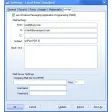
- User-friendly interface for easy navigation
- Works on older Windows versions like Windows 98 SE and earlier
Use Cases
With eXPert PDF, you can easily convert your documents for various use cases, such as:
- Preparing professional reports for clients
- Archiving important documents for record-keeping
- Sharing files securely with colleagues or partners
Pros and Cons
Pros: The software is lightweight and efficient, making it suitable for users with limited system resources. It offers a simple and intuitive interface, which is perfect for users who are not tech-savvy.
Cons: Despite its simplicity, eXPert PDF lacks advanced features that more modern software might offer. However, for basic document conversion needs, this software serves its purpose well.
Who is eXPert PDF For?
- Small businesses and freelancers needing basic document conversion tools
- Home users who require a simple and effective way to convert documents to PDFs
- Anyone who wants to share or archive documents in a secure format
Tips for Using eXPert PDF
To get the best out of eXPert PDF:
- Ensure your document is in a supported format before conversion
- Check the software’s settings to optimize the output quality as needed
- For bulk conversions, consider organizing your documents in folders for ease of access
eXPert PDF for Windows is a reliable choice for users who need a simple and efficient tool for converting their documents into PDFs. Its straightforward interface and support for multiple file types make it a valuable asset for both personal and professional use.
Ratings
3 reviews



