
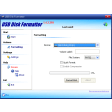
KORO USB Disk Formatter for Windows
by More programs (3)
Review
Discover KORO USB Disk Formatter for Windows: A Free Productivity Tool
Enhance your productivity with KORO USB Disk Formatter, a free Windows application specifically designed for managing and formatting USB drives. This user-friendly tool is part of the broader category of productivity software, focusing on cataloging and organization.
What Does KORO USB Disk Formatter Do?
KORO USB Disk Formatter is a versatile utility that allows you to format USB drives with ease. Whether you need to prepare a new USB drive for storage or want to securely erase sensitive data from an old one, this tool is your go-to solution. Its straightforward interface makes it accessible to both beginners and experienced users alike.
Key Features
- Quick Formatting: Easily format USB drives with just a few clicks, ensuring your storage device is ready for use.
- Secure Erasure: Safely delete all data from your USB drive, making it an ideal choice for securing personal or sensitive information.
- Support for Multiple File Systems: KORO USB Disk Formatter supports various file systems, including FAT16, FAT32, and NTFS, ensuring compatibility with different devices.
- User-Friendly Interface: Enjoy a clean and intuitive design that simplifies the formatting process.
Use Cases
- Data Transfer: Use KORO USB Disk Formatter to transfer files between devices quickly and efficiently.
- Data Security: Erase sensitive data from your USB drive to protect your privacy and maintain data integrity.
- Device Management: Keep your USB drives organized and ready for use by formatting them as needed.
Pros and Cons
Pros: KORO USB Disk Formatter is a reliable and efficient tool with a user-friendly interface. Its lightweight nature makes it easy on system resources, and it’s available in multiple languages, including English.
Cons: While the current version (1.4.3.310) is compatible with older Windows operating systems, newer versions might offer enhanced features that are not available in this version.
Who is it For?
KORO USB Disk Formatter is perfect for anyone who frequently uses USB drives, whether for work, personal use, or for transferring files. Its broad user base includes students, professionals, and tech enthusiasts looking for a reliable and efficient way to manage their USB storage devices.
Tips for Using KORO USB Disk Formatter
- Backup Data: Before formatting, ensure that all important data is backed up to avoid any accidental loss.
- Check Compatibility: Make sure your USB drive is compatible with KORO USB Disk Formatter before attempting to format it.
- Update Regularly: While the current version works well, keeping an eye on updates can help you benefit from new features and improvements.
With its ease of use and functionality, KORO USB Disk Formatter stands out as a valuable tool in the realm of productivity software. Whether you’re a casual user or a frequent traveler, this application can streamline your USB drive management process and enhance your overall digital experience.
Ratings
19 reviews



