
Review
PinNotes for Windows: A Comprehensive Overview
PinNotes, a productivity tool available exclusively for Windows, offers a unique approach to note-taking. This application, part of the broader category of productivity software, has been a staple among users since its addition to our catalog in 2007. With the current version being 1.3, released on 7/23/2008, PinNotes continues to serve its intended purpose without requiring significant updates.
What PinNotes Does
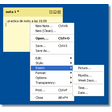
PinNotes transforms traditional note-taking into an engaging and customizable experience. Users can create, organize, and manage notes directly on their desktop, much like virtual sticky notes. This feature is particularly useful for individuals who need to keep track of various tasks, reminders, or ideas in a visually organized manner.
Key Features
- Customizable Notes: Users can personalize notes with different colors, sizes, and styles to make them more visually appealing and easier to manage.
- Drag-and-Drop Functionality: The ability to move notes around the desktop with ease, allowing for a more dynamic and interactive user experience.
- Search Functionality: Quickly find specific notes using a robust search feature, which can be particularly useful for those who create numerous notes daily.
Use Cases
- Personal Productivity: Ideal for individuals who need to keep track of personal tasks, appointments, or daily activities.
- Project Management: Teams can use PinNotes to collaborate on projects, share ideas, and assign tasks.
- Learning and Research: Students and researchers can utilize the application to organize notes and references for various subjects or projects.
Pros and Cons
Pros: PinNotes is lightweight, easy to use, and offers a user-friendly interface. Its customization options make it highly adaptable to different needs and preferences.
Cons: While PinNotes is highly functional, it lacks some advanced features found in more modern note-taking applications. However, for basic and moderate productivity needs, it is more than sufficient.
Who It's For
PinNotes is perfect for anyone looking for a straightforward and customizable note-taking solution. It is particularly beneficial for individuals who prefer a lightweight application that doesn't interfere with their system resources.
Tips
- Color Coding: Utilize different colors to categorize notes, making it easier to sort and find specific information quickly.
- Regular Updates: Although the application hasn't seen significant updates, maintaining regular note-taking habits can help keep your information well-organized.
- Backup: Regularly save or export your notes to avoid any data loss.
Overall, PinNotes for Windows is a valuable tool for those seeking a simple, efficient, and customizable note-taking solution. Its widespread use in countries like Germany, Denmark, and Bangladesh speaks to its effectiveness in various environments.
Ratings
2 reviews



