
Pros & Cons
- Easy-to-use design interface
- Template and database integration
- Supports multiple printer formats
- Accurate layout and print preview
- Limited advanced design features
- Occasional slowdowns on large files
Review
SimpleOne Label Maker for Windows: A Comprehensive Guide
Introduction: If you're in need of a straightforward and efficient way to create professional-quality labels, SimpleOne Label Maker for Windows is an excellent choice. This productivity tool is designed to streamline the label creation process, making it accessible for users with varying levels of design experience.
What Does SimpleOne Label Maker Do?
SimpleOne Label Maker for Windows enables users to design, customize, and print labels with ease. Whether you're dealing with packaging, office supplies, crafts, or inventory management, this software provides a versatile platform for all your labeling needs.
Key Features
- Easy-to-use Design Interface: The user-friendly interface ensures that even beginners can navigate the software with minimal effort. It features a clean layout that keeps essential tools and functions easily accessible.
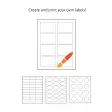
- Template and Database Integration: Pre-designed templates are available for quick customization, while the database feature allows for bulk label creation by importing data from CSV or Excel files.
- Supports Multiple Printer Formats: SimpleOne Label Maker supports a wide range of printers, including inkjet, laser, and label-specific printers, ensuring compatibility with various output devices.
- Accurate Layout and Print Preview: Real-time previews allow users to see the final output before printing, ensuring that the labels match their vision perfectly.
Use Cases
SimpleOne Label Maker is ideal for a variety of applications, including:
- Package labeling for shipping and logistics
- Office supply organization and inventory management
- Craft projects requiring custom labels
- Event planning and creation of name badges
- Product labeling for retail and manufacturing
Pros and Cons
Pros
- Intuitive and user-friendly design interface
- Wide range of templates for quick customization
- Support for multiple printer types and formats
- Accurate layout and print preview capabilities
- Database connectivity for bulk label creation
Cons
- Limited advanced design features
- Potential slowdowns when handling large files
Who It's For
This software is perfect for:
- Office professionals managing inventory or correspondence
- Individuals creating custom labels for personal projects
- Businesses in need of efficient label creation solutions
- Crafters and hobbyists looking for a simple design tool
Tips for Using SimpleOne Label Maker
- Utilize the pre-designed templates for quick setup
- Take advantage of the database feature for consistency in large projects
- Regularly check the print settings to ensure compatibility with your printer
- Use the real-time preview to catch any errors before printing
Overall, SimpleOne Label Maker for Windows offers a reliable and efficient solution for creating professional labels. Its user-friendly design and versatile features make it a valuable tool for a wide range of users, from hobbyists to professionals. While it may lack some advanced design capabilities, its ease of use and robust functionality ensure that it remains a top choice for those in need of a straightforward labeling solution.
Ratings
1 reviews



