
Super Pi for Windows
Review
Super Pi for Windows: A Comprehensive Review for Windows Users
Super Pi is a productivity software specifically designed for the Windows operating system. This free tool, developed by Y. Kanada, falls under the category of science and education software, making it a valuable resource for enthusiasts and professionals alike. While the software has not officially provided a summary, our in-depth review offers insights into its features, benefits, and potential use cases.
What Does Super Pi Do?
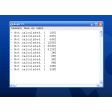
Super Pi is primarily a computational tool used for testing the speed and accuracy of personal computers, particularly in relation to CPU performance. It performs calculations to determine the value of pi to a specified number of digits, which can be a lengthy process and a good benchmark for system performance.
Key Features
- High Precision Calculations: Super Pi can calculate pi to a high number of decimal places, making it a versatile tool for various mathematical and scientific applications.
- System Performance Benchmark: By running Super Pi, users can measure the computational power and efficiency of their CPUs, helping them to identify bottlenecks and optimize system performance.
- Customizable: Users can specify the number of digits of pi to calculate, allowing for flexibility in testing different scenarios.
Use Cases
- Hardware Testing: Super Pi is commonly used to test the performance of CPUs during hardware upgrades or when troubleshooting issues with system performance.
- Software Development: Developers can use Super Pi to ensure that their applications run smoothly on different hardware configurations.
- Education and Research: The tool is also beneficial for educational purposes and scientific research, where precision in calculations is crucial.
Pros and Cons
Pros: Super Pi is a lightweight application, making it easy to run without impacting system resources. It is free to use and provides accurate results, making it a reliable benchmarking tool.
Cons: The lack of official documentation and support may pose challenges for users who require more detailed instructions or troubleshooting assistance.
Who is Super Pi For?
Super Pi is ideal for:
- Computer enthusiasts looking to test their hardware.
- Developers who need to ensure software compatibility across different hardware configurations.
- Students and researchers in fields requiring high-precision calculations.
Tips for Using Super Pi
- Choose the appropriate number of decimal places: Start with a small number of digits and gradually increase to test your system's capabilities accurately.
- Monitor system temperature: High calculations can generate significant heat, so ensure your system is properly cooled.
- Use in conjunction with other tools: Consider using Super Pi alongside other benchmarking tools for a comprehensive system assessment.
In conclusion, Super Pi for Windows offers a robust and straightforward way to test and improve the performance of your computer. Its lightweight nature and free availability make it an excellent choice for anyone interested in optimizing their system or conducting precise calculations. Whether you're a developer, a student, or a tech enthusiast, Super Pi can provide valuable insights into your hardware's capabilities.
Ratings
5 reviews



