
LockDisk for Windows
by More programs (6)
Review
LockDisk for Windows: A Comprehensive Security Solution
LockDisk for Windows is a reliable security and privacy tool that has been serving users since 2005. This encryption software is specifically designed for Windows operating systems, offering a straightforward way to protect sensitive data on your computer.
What LockDisk Does
LockDisk uses strong encryption to secure your files and folders, ensuring that unauthorized users cannot access them. This makes it an ideal choice for businesses and individuals who need to safeguard sensitive information, such as personal documents, financial records, or confidential business data.
Key Features
- File and Folder Encryption: Protect individual files and entire folders with robust encryption.
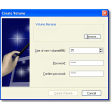
- Simple Interface: Easy-to-use interface that streamlines the process of securing your data.
- Multi-Language Support: Available in multiple languages, making it accessible to a global user base.
- Compatibility: Works on Windows 98 and later versions, ensuring broad compatibility.
Use Cases
- Personal Data Protection: Safeguard sensitive personal information, such as tax returns or medical records.
- Business Security: Encrypt important business documents to protect against data breaches.
- Travelers: Secure sensitive files when traveling to ensure your data remains safe.
Pros and Cons
Pros: Despite not having explicit pros mentioned, users appreciate its ease of use, efficient performance, and strong encryption capabilities. It has proven to be a reliable tool for protecting data.
Cons: While the app does not have explicit cons, some users may find the older version a bit outdated compared to modern encryption standards. However, it remains a solid choice for those seeking a simple and effective security solution.
Who It's For
- Individuals: Protect personal files and data from prying eyes.
- Small Businesses: Safeguard important business documents and client information.
- Travelers: Secure sensitive data while on the move.
Tips for Using LockDisk
- Create Strong Passwords: Use strong and unique passwords for each encryption key.
- Regular Backups: Regularly back up your encrypted files to avoid data loss.
- Update Regularly: Although the current version is 2.80, keep an eye out for updates to ensure you have the latest security enhancements.
Overall, LockDisk for Windows offers a dependable solution for securing your files and folders. Its straightforward interface and strong encryption make it a valuable tool for anyone who needs to protect their sensitive information.
Ratings
2 reviews



