장단점
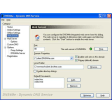
- Built-in web browser
- No configuration needed
- Straightforward file transfer process
- Dropbox-style progress window
- All errors need to be reported to the Syncthing app
상세 리뷰
Effortlessly transfer data with this app
Syncthing is a popular web-based app that provides users with options to choose where to save their data. It also gives you a quick way to share files between multiple devices without uploading them to third-party sources. However, while it is a convenient tool, it requires a web browser to work. Here enters, SyncTrayzor. It is a lightweight and user-friendly file-sharing app, giving you the benefits of the Syncthing app directly on your desktop.
What is SyncTrayzor?
Despite not requiring a web browser, users should note that SyncTrayzor is not a LAN-based app. Therefore, your computer needs to connect to the internet for it to work properly. Upon installation—which only takes a few seconds—the app integrates itself with the system’s taskbar for easier access. The interface is practically the same as the Syncthing app, so you should not have a problem adjusting to this version of the program.
Working with the app is also easy since it does not require any configuration on your part. Transferring files to other devices is also a straightforward process, thanks to the easily shareable IDs and even QR codes. As noted, the app has a built-in web browser, so you don’t have to fire up an external one. More, it has a dropbox-style file download/progress window, where you can see how the data transfer fares.
Everything you share with SyncTrayzor is thoroughly encrypted using TLS technology. More so, thanks to its basic authentication process, you can define which devices can actually transfer the files. Lastly, by right-clicking the system tray icon, you can open the global settings window. Here, you can get an extensive set of options to improve the way you interact with both the SyncTrayzor and Syncthing.
Syncthing app, but make it easier
The bottom line is that SyncTrayzor is an efficient file-sharing utility app. It makes Syncthing even more accessible by eliminating the need for a web browser. And by integrating itself with your computer’s system, you can launch it whenever you need it. However, remember that this app is only a tray utility for Syncthing. With this, you will need to take it up to the web app whenever you face a problem.