
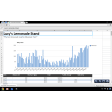
Chrome Office Viewer for Windows
Pros & Cons
- Adds useful functionality
- Print, save or zoom
- Open documents in the browser
- Only available for Chrome beta
- No editing
Review
Chrome Office Viewer for Windows: Enhance Your Document Viewing Experience
Overview: Chrome Office Viewer is a valuable extension for users who need to view and manage Office documents directly within their Chrome browser. This review delves into its features, use cases, and more.
What Does Chrome Office Viewer Do?
Chrome Office Viewer transforms your Chrome browser into a versatile office suite viewer. It enables you to open and interact with various Office document types—Word, Excel, and PowerPoint files—without leaving your browser. The extension is perfect for professionals who frequently work with such documents and want a seamless experience.
Key Features
- Document Types: Supports Word (DOC, DOCX), Excel (XLS, XLSX), and PowerPoint (PPT, PPTX) files.
- Interactive Tools: Allows you to zoom in on documents for detailed examination, save documents for future reference, and print them when necessary.
- Browser Integration: Seamlessly integrates into your Chrome browser, ensuring a hassle-free document viewing experience.
Use Cases
- Quick Reviews: Use Chrome Office Viewer for quick document reviews, especially when you don't need to edit the content.
- Shared Documents: Share documents with clients or colleagues by sending links directly from your browser.
- Offline Access: View documents offline if they have been saved locally on your device.
Pros and Cons
Pros
- Additional Functionality: Provides a wider range of document viewing options beyond what the browser natively supports.
- User-Friendly Interface: The extension’s interface is intuitive and easy to use, making it a breeze to navigate through documents.
- Printing and Saving Capabilities: You can easily save or print documents directly from your browser.
Cons
- Limited Editing: The extension does not support editing, which can be a limitation for those who need to make changes.
- Availability: Currently, Chrome Office Viewer is only available for the Chrome beta release, although it is expected to be rolled out to the stable version soon.
Who It's For
Chrome Office Viewer is ideal for:
- Remote Workers: Professionals who work from home or remote locations can benefit from this tool for quick document access.
- Collaborative Teams: Teams working on shared projects can use this tool for quick reviews and feedback.
- Education: Students and educators can use it for sharing and reviewing documents without the need for separate applications.
Tips for Using Chrome Office Viewer
- Stable Version: While the extension is currently available in the Chrome beta release, it's recommended to keep an eye out for updates as the stable version is expected to be released soon.
- Save Changes: Since there is no editing capability, always save your changes externally before printing or sharing.
- Browser Compatibility: Ensure your Chrome browser is up to date to avoid any compatibility issues.
Overall, Chrome Office Viewer is a practical addition to your Chrome browser for those who need a quick and easy way to view Office documents. While it may not offer full editing capabilities, its browser integration and additional features make it a worthwhile tool for many users.
Ratings
56 reviews



