파일 크기
N/A
라이선스
무료
플랫폼
Windows
보안
미확인
최신 업데이트
2007년 7월
장단점
장점
- Probably the easiest way to capture a complete webpage
단점
- Keyboard hotkeys don't seem to work
상세 리뷰
Capture entire websites as images
Taking screenshots can be as easy as pressing the prntscr key in any moment, or as painful has having to individually copy and paste different areas of your screen and then arrange them in an image editor.
This would be the case, for example, if you wanted to take a snapshot of a complete webpage, from top to bottom.
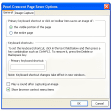
Well, not anymore. Firefox users will be glad to know there's an extension that enables you to capture entire webpages as an image in JPG or PNG formats, taking both what you see and what remains hidden beyond the browser's limits.
The capture can be triggered via the context menu, a button on Firefox's toolbar and also a keyboard hotkey, although we personally didn't succeed in here.