파일 크기
N/A
라이선스
무료
플랫폼
Windows
보안
미확인
최신 업데이트
2019년 2월
장단점
장점
- An easy way to configure Firefox URL autocompletion
단점
- It's a bit hidden
상세 리뷰
Customize keyboard shortcuts to complete the URL in Firefox
The Ctrl+Enter shortcut is probably one of the most useful keyboard combinations for your daily browsing, as it automatically adds the necessary http:// prefix and .
com suffix to open any website.
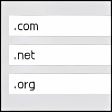
But what if you visit other domains more often than the . com itself? Use URL Suffix and you'll be able to customize this shortcut, as well as the Shift+Enter for .
net addresses and the Shift+Ctrl+Enter for . org ones. Simply double click on the combination you want to edit and enter the prefix and suffix you'd like to be added every time you press that shortcut.
Certainly a very easy-to-use, handy extension! Pity it's not that easy to open (you'll need to go to the Tools > Add-ons menu and then click on the "Options" button in URL Suffix).