Liquid Launcher - OS 26 for Android
Liquid Launcher - OS 26 for Android 상세 리뷰
Liquid Launcher - OS 26 for Android: Aesthetic Personalization Redefined
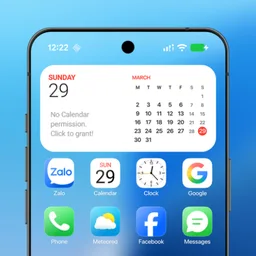
Discover the elegance and sophistication of Liquid Launcher - OS 26, a stunning personalization app for Android. This launcher offers a unique home screen experience with its true liquid glass effect, enhancing the visual appeal of your device and transforming it into a true work of art. Liquid Launcher is not just about aesthetics; it combines style with functionality, making it an ideal choice for those who value both form and performance.
Key Features
- True Liquid Glass Effect: Experience a smooth and visually appealing interface that feels like liquid glass, making every tap and swipe a pleasure.
- Smart App Library: Automatically organize your applications into categories, making it easier to find the apps you use most frequently.
- Convenient Widgets: Stay informed with essential information at a glance, including weather updates, calendar reminders, and more.
- Swipe-Down Search: Quickly access your favorite apps with a simple swipe-down gesture, saving you time and effort.
- Customization Options: Edit app icons and titles to match your personal style, and personalize your home screen with ease.
Use Cases
Liquid Launcher - OS 26 is perfect for both casual users and power users. It is especially suitable for those who want a visually appealing home screen while maintaining optimal performance. Whether you are using your Android device for work, entertainment, or simply for daily tasks, this launcher can help you create a personalized environment that enhances your overall experience.
Pros and Cons
- Pros: Exceptional visual appeal, smooth animations, lightweight and battery-friendly, easy customization, and smart app organization.
- Cons: No specific cons have been noted for this launcher, making it a seamless and enjoyable experience for users.
Who It's For
- Design enthusiasts who appreciate a clean and modern user interface.
- Users who want to enhance their device's visual appeal without sacrificing performance.
- Individuals who value ease of use and customization options.
- Those who frequently use their Android device for both work and leisure.
Tips for Optimal Use
- Take advantage of the smart app library to keep your home screen organized.
- Utilize the swipe-down search feature to quickly find and launch your favorite apps.
- Customize your app icons and titles to match your personal style, making your home screen truly unique.
- Explore the various widgets available to stay informed with essential information at a glance.
With Liquid Launcher - OS 26, you can enjoy a visually stunning and functional home screen that enhances your daily experience on your Android device. Whether you are looking to personalize your device or simply want a more appealing interface, this launcher is an excellent choice. Start your journey towards a more stylish and efficient Android experience today!
Liquid Launcher - OS 26 for Android 설치 방법
- 1
APK 내려받기
공식 홈페이지에서 Liquid Launcher - OS 26 for Android 설치 파일을 내려받아 저장합니다.
- 2
출처를 알 수 없는 앱 허용
설정 › 보안에서 해당 브라우저의 설치 권한을 켭니다.
- 3
설치 실행
받은 APK 파일을 열고 안내에 따라 설치를 진행합니다.
- 4
앱 실행
설치가 끝나면 홈 화면에서 바로 실행할 수 있습니다.
자주 묻는 질문
Liquid Launcher - OS 26 for Android는 무료로 쓸 수 있나요?
네, Liquid Launcher - OS 26 for Android는 무료으로 제공되어 비용 없이 내려받아 사용할 수 있습니다.
Liquid Launcher - OS 26 for Android는 안전한가요?
보안 상태가 "미확인"으로 표시되어 있습니다. 설치 전 백신으로 한 번 더 검사해 주세요.
어떤 환경에서 사용할 수 있나요?
Android 환경에서 사용할 수 있습니다.
Liquid Launcher - OS 26 for Android
무료 · Android
비슷한 앱
개인화 전체 보기 →
Rings Watch Face for Android
Personalization

Clipclaps: Earning App Hints for Android
Personalization
Glass Widgets
Personalization

Homemade Cake Baking Recipes for Android
Personalization
Picsay: Editor App Guia for Android
Personalization
Weather Yin Yang Digital AE05 for Android
Personalization

ずり落ちるMOSHINEKOライブ壁紙 for Android
Personalization
WFP 345 Informer Trial Version for Android
Personalization