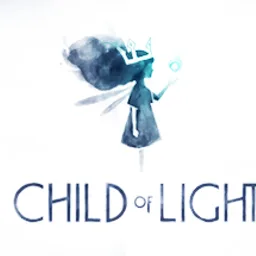
Child of Light Windows
Aurora, a young girl from 1895 Austria, awakens on the lost fairytale continent of Lemuria. To return home she must fight against the dark creatures of the Queen of the Night, who have stolen the sun, the moon and the stars. At stake is not only Lemuria, but Aurora’s true destiny.
Child of Light Windows 설치 방법
- 1
설치 파일 내려받기
공식 홈페이지에서 Child of Light 설치 파일을 내려받아 저장합니다.
- 2
설치 파일 실행
받은 파일을 더블클릭해 설치 마법사를 시작합니다.
- 3
안내에 따라 설치
설치 경로와 옵션을 확인하고 진행합니다.
- 4
프로그램 실행
설치가 끝나면 바탕화면이나 시작 메뉴에서 실행합니다.
자주 묻는 질문
Child of Light는 무료로 쓸 수 있나요?
Child of Light는 유료 방식입니다. 기능이나 사용 기간에 제한이 있을 수 있으니 개발사 안내를 확인해 주세요.
Child of Light는 안전한가요?
보안 상태가 "미확인"으로 표시되어 있습니다. 설치 전 백신으로 한 번 더 검사해 주세요.
어떤 환경에서 사용할 수 있나요?
Windows 환경에서 사용할 수 있습니다.
한국어를 지원하나요?
네, 한국어를 지원합니다. 지원 언어: Korean
Child of Light
유료 · Windows