Draw with AR: Trace and Sketch for Android
Draw with AR: Trace and Sketch for Android 상세 리뷰
Augmented Reality Drawing Made Easy: Draw with AR: Trace and Sketch for Android
Overview
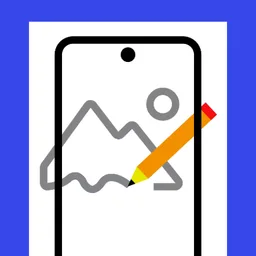
Draw with AR: Trace and Sketch is a cutting-edge Android app that leverages augmented reality to transform your smartphone into a powerful drawing tool. Designed for artists of all skill levels, this free application offers a unique way to engage with your creativity. Whether you’re a seasoned artist or just starting to explore the world of digital sketching, Draw with AR: Trace and Sketch provides a versatile and user-friendly platform to enhance your artistic journey.
Key Features
- Transparent Overlay for Accurate Tracing: Easily overlay images from the app’s library or your own gallery onto your camera view to trace or sketch. This feature allows for precise and detailed work.
- Search Millions of Images Online: Explore a vast collection of images directly from the app, making it simple to find inspiration and start drawing.
- Adjust Image Size and Orientation: Fine-tune the size and orientation of the image to match your drawing surface perfectly, ensuring a seamless tracing experience.
- Convert Colored Images to Outlines: Quickly convert vibrant, colored images into clean, black and white outlines for easier tracing and sketching.
- Save and Share Your Creations: Save your drawings directly to your device or share them via social media platforms to showcase your work.
- Record Your Drawing Process: Capture the entire process of your drawing, allowing you to revisit and improve your work.
Use Cases
- Art Practice and Learning: Use the app to practice drawing and sketching, improving your skills through repetitive and guided tracing exercises.
- Portraits and Illustrations: Trace and draw portraits and illustrations with precision and ease, bringing your subjects to life on screen.
- Doodling and Casual Drawing: Enjoy a relaxing and fun way to doodle and express your creativity without the need for traditional drawing tools.
- Storyboarding and Concept Art: Use the app to quickly create storyboards and concept art for projects, ideas, or even fun storytelling.
Pros and Cons
- Pros: User-friendly interface, extensive image library, versatile tools for different drawing needs, and seamless integration with augmented reality.
- Cons: N/A (The app is known for its ease of use and functionality, with no reported drawbacks by users.)
Who It’s For
- Artists at any skill level, from beginners to professionals.
- Anyone looking for a fun and engaging way to explore their creativity.
- Students and teachers in art education.
- Freelancers and hobbyists who want to enhance their artistic abilities.
Tips for Optimal Use
- Prepare Your Space: Ensure the surface you’re tracing on is flat and clean to avoid any distortions in the tracing.
- Choose the Right Image: Select images that are clear and well-defined for easier tracing and better results.
- Practice Regularly: Use the app consistently to improve your drawing skills and gain confidence in your techniques.
- Experiment with Different Tools: Explore the various tools available to find what works best for your style and preferences.
- Share Your Art: Don’t hesitate to share your creations on social media or with friends and family to get feedback and inspiration.
Draw with AR: Trace and Sketch for Android 설치 방법
- 1
APK 내려받기
공식 홈페이지에서 Draw with AR: Trace and Sketch for Android 설치 파일을 내려받아 저장합니다.
- 2
출처를 알 수 없는 앱 허용
설정 › 보안에서 해당 브라우저의 설치 권한을 켭니다.
- 3
설치 실행
받은 APK 파일을 열고 안내에 따라 설치를 진행합니다.
- 4
앱 실행
설치가 끝나면 홈 화면에서 바로 실행할 수 있습니다.
자주 묻는 질문
Draw with AR: Trace and Sketch for Android는 무료로 쓸 수 있나요?
네, Draw with AR: Trace and Sketch for Android는 무료으로 제공되어 비용 없이 내려받아 사용할 수 있습니다.
Draw with AR: Trace and Sketch for Android는 안전한가요?
보안 상태가 "미확인"으로 표시되어 있습니다. 설치 전 백신으로 한 번 더 검사해 주세요.
어떤 환경에서 사용할 수 있나요?
Android 환경에서 사용할 수 있습니다.
Draw with AR: Trace and Sketch for Android
무료 · Android